Replacement
Replacing a discontinued three-phase UPS: dates and named successors
A discontinued three-phase UPS is no longer sold, but it usually stays serviceable until the manufacturer's end-of-service date, and the replacement starts from the successor the manufacturer names. Schneider, for example, discontinued the MGE Galaxy 7000 500 kVA on August 29, 2023, lists end of service on December 31, 2031, and points to the Galaxy VL; the table below gives the same dates and successors for each discontinued family we track.
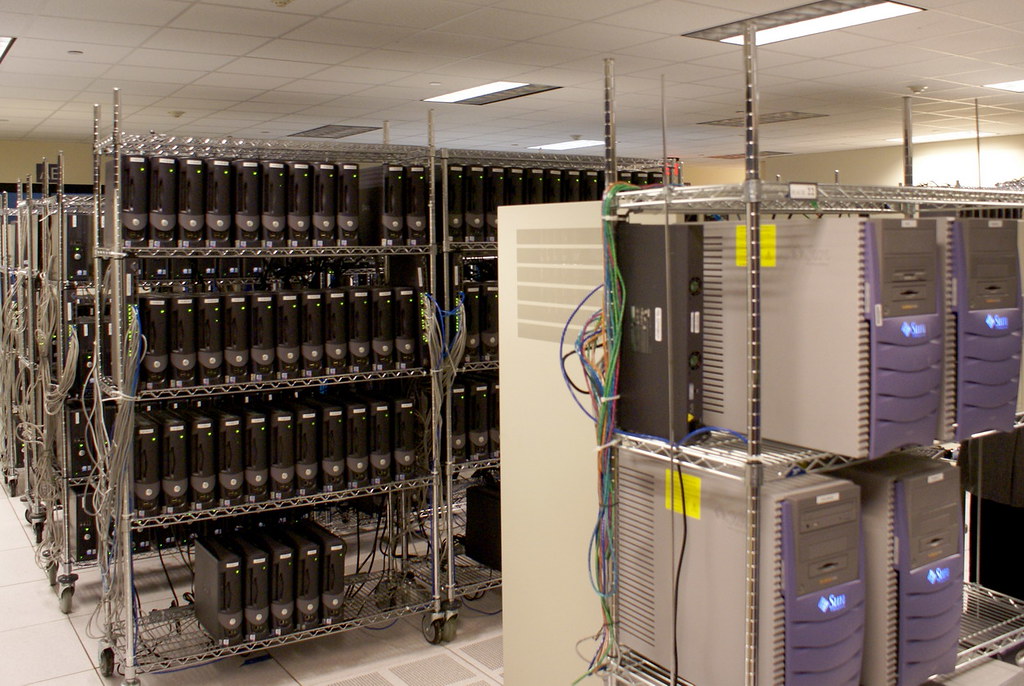
Discontinued three-phase UPS models and what replaced them
Manufacturer statements checked on October 3, 2026. Follow the model link for sources, dates and service options.
| Discontinued model | Status | Manufacturer's replacement or current alternative |
|---|---|---|
| APC Galaxy VM | Discontinued: January 31, 2023 (180 kVA single model) | APC Galaxy VX |
| APC Symmetra PX | Partly discontinued: December 31, 2025 (150 kW scalable to 250 kW model) | APC Galaxy VX |
| Eaton 9390 | Discontinued | Eaton 93PM |
| Eaton 93E | Discontinued | Eaton 9355 and Eaton 93PM |
| Eaton BladeUPS | Discontinued | Eaton 93PX and Eaton 93PM |
| GE SG Series | Discontinued: June 30, 2021 (no longer available to order; service and parts until obsolescence in 2031) | ABB TLE Series |
| MGE Galaxy 3500 | Discontinued | APC Galaxy VS |
| MGE Galaxy 5000 | Discontinued: December 11, 2025 (80 kVA model); end of service December 31, 2030 | APC Galaxy VS |
| MGE Galaxy 5500 | Discontinued: September 6, 2021 (100 kVA marine model); end of service October 18, 2023 | APC Galaxy VS and APC Galaxy VL |
| MGE Galaxy 7000 | Discontinued: August 29, 2023 (500 kVA model); end of service December 31, 2031 | APC Galaxy VL |
| Mitsubishi Electric 2033 Series | Discontinued | Mitsubishi Electric 1100 Series |
| Mitsubishi Electric 9800A | Discontinued: 9800A-E end of support, March 2027 | Mitsubishi Electric 9900AEGIS and Mitsubishi Electric 9900B |
| Mitsubishi Electric 9900A | Discontinued: projected end of support, December 2026 | Mitsubishi Electric 9900AEGIS |
| Toshiba 4200FA CT | Discontinued | Toshiba 4400 Series |
| Toshiba 4300 Series | Discontinued | Toshiba 4400 Series |
| Toshiba G8000 | Discontinued | Toshiba G9000 |
| Tripp Lite SmartOnline SU (three-phase) | Discontinued | Tripp Lite (Eaton) SmartOnline S3M |
| Vertiv Liebert APM | Partly discontinued | Vertiv Liebert APM2 |
| Vertiv Liebert NX | Discontinued | Vertiv Liebert EXM and Vertiv Liebert EXL S1 |
| Vertiv Liebert NXL | Discontinued | Vertiv Liebert EXL S1 |
| Vertiv Liebert Trinergy Cube | Partly discontinued | Vertiv Trinergy |
| XPC E90 | Discontinued | XPC E91 |
| XPC GT90 | Discontinued | XPC M90Ci |
| XPC M90 | Discontinued | XPC M90U |
| XPC M90-140 | Discontinued | XPC M90U-140 |
| XPC M90-80 | Discontinued | XPC M90U-80 |
| XPC M90L | Discontinued | XPC M90LU |
| XPC NXTi three-phase | Discontinued | XPC M90Ci |
| XPC R90 | Discontinued | XPC Ai90 |
| XPC R91 | Discontinued | XPC Ai90 |
What the lifecycle stages mean, in the manufacturers' words
Each manufacturer uses its own terms, and the difference matters for planning:
- Schneider Electric: end of commercialization is the last date it accepts an order for the reference, while after-sales service (repair, spare parts) continues; end of standard service is the last date it can provide maintenance services. Its product pages show both dates, for example G5TUPS80: discontinued December 11, 2025, end of service December 31, 2030.
- Mitsubishi Electric: Sustained Support (full support and parts until the end-of-support date), Best Effort Support (limited support, field service and parts) and Obsolete (no technical support or parts). Its lifecycle page lists the 9900A at 12/2026 (projected) and the 9800A-E at 03/2027 under Best Effort.
- ABB (GE heritage): Classic, Limited and Obsolete. The SG Series UL moved to Limited on June 30, 2021, meaning no longer for sale with service and parts for the installed base, and is scheduled to become obsolete in 2031 (ABB life cycle announcement).
- Eaton: on its 93E page, end-of-life status comes with the statement that Eaton will continue to provide services and replacement parts, and it names the 9355 and 93PM as the replacement options.
The successor is not always one model
Manufacturers often split a discontinued range across successors by rating. ABB sends SG Series sites up to 150 kW to the TLE Series 40-150 kW, and from 150 to 300 kVA to the TLE Series 160-1000 kW or the DPA 200-300 UL. Mitsubishi names the 9900AEGIS or the 9900B for the 9800A, Eaton the 9355 or the 93PM for the 93E, and Schneider points Symmetra PX 250 and 500 kW owners to the Galaxy VX while the 10 to 40 kW Symmetra PX frames are still listed. XPC maps each older model to a current one: M90 to M90U, M90L to M90LU, GT90 and NXTi to M90Ci-6S, E90 to E91, R90 and R91 to Ai90.
Two dates to check for your exact reference
The end-of-service date is the planning horizon. Schneider's Galaxy VM 180 kVA reached end of service on April 19, 2023, less than three months after its January 31, 2023 discontinuation, while the Galaxy 7000 500 kVA keeps service until 2031, eight years after its 2023 discontinuation. Once a Mitsubishi model is obsolete, Mitsubishi states that technical support and replacement parts are no longer available. Read both dates for your exact part number, not only for the range.
What we need to quote a replacement
The nameplate model and part number, the rating and voltage, the battery configuration and its age, the bypass and distribution arrangement, and any generator on the input. With those we can put the named successor and an alternative from another manufacturer side by side.
Current successors are listed among the three-phase systems in stock, and units kept running until the swap stay covered by multi-brand UPS maintenance in Canada.
Frequently asked questions
Does a discontinued UPS stop being serviceable?
Not at the end-of-sale date. Schneider keeps after-sales service until the end-of-service date it publishes for each reference, and Eaton states it will continue to provide services and parts for the discontinued 93E.
What replaced the APC MGE Galaxy 5000?
Schneider lists the MGE Galaxy 5000 80 kVA as discontinued on December 11, 2025, with end of service on December 31, 2030, and names the Galaxy VS as the substitute.
What replaced the GE SG Series UPS?
ABB, which carries the GE three-phase line, names the TLE Series 40-150 kW up to 150 kW, and the TLE Series 160-1000 kW or the DPA 200-300 UL above that. The SG Series UL has not been orderable since June 30, 2021.
Do I have to replace it with the same brand?
No. The named successor is the manufacturer's suggestion; a current model from another manufacturer can replace it if it matches the rating, voltage and bypass arrangement.
Related guides and systems
Request a system quote
Tell us the application and we reply within 4 business hours with the sizing, the right system, the installation and a written quote. Three-phase installs usually need a licensed electrician, so let us know if you have one.
Brand names are trademarks of their owners and are used only to identify the equipment we service. We are not the manufacturer and are not affiliated with it.